Share your stats with a private and secure link
Shared links are useful for specific use cases such as if you want to share your stats with (potential) partners or advertisers. Or if you're an agency or working as a freelancer and want to share the stats with your clients. You can also use shared links to embed the unbranded Plausible dashboard directly into your site or product.
People that you send your shared link to can view the stats dashboard without having a Plausible Analytics account and without needing to log in. They can only view the specific dashboard that you shared and can't see any other sites that you have added to your Plausible account.
People who view a shared link do not count toward your team member limit.
See how to invite team members and set user roles
How to create a shared link
Go to the Visibility area of your website settings and find the Shared links section. Click the Add shared link button. A modal will open up where you will find the following options.
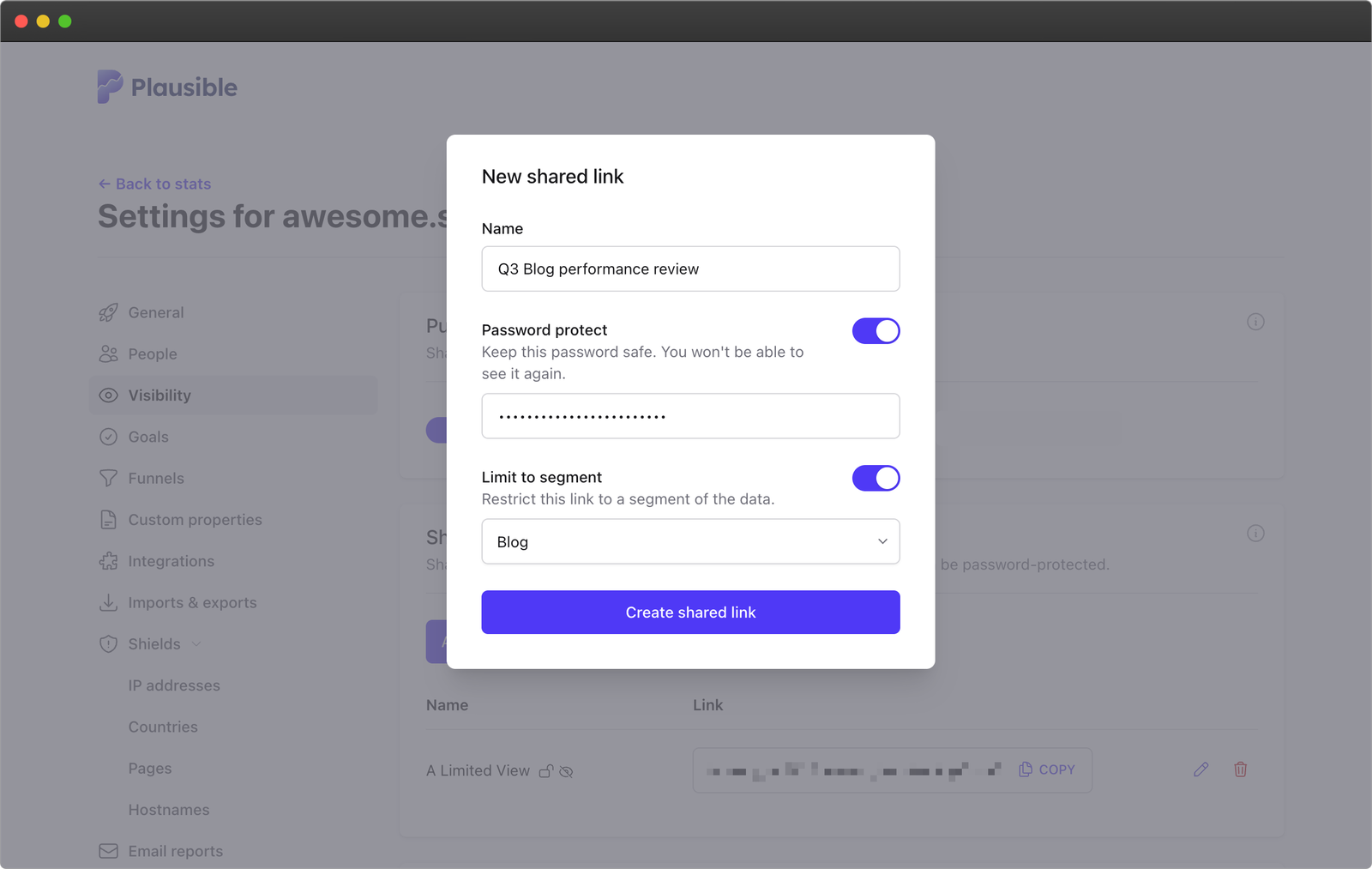
Shared link options
Name
Add a display name for your own reference. This won't be visible to anyone viewing the link.
Password
If you add password protection to the shared link, people that you send your shared link to can only view the stats if they enter the password.
You can only set the password when creating the shared link, and you won't be able to see, edit, or remove the password from this link later on. If you forget it, you'll have to delete the link and create a new one.
Limit to segment
If you enable this option, anyone who opens the dashboard using the shared link will always see data filtered by the selected segment only. Only site segments (i.e. segments that anyone on your team can use) can be used.
Viewers won't be able to remove that segment from the dashboard. They can see which filters are included in it and they can add more filters on top of it.
This makes it possible to share only the part of your analytics that matters to a specific audience. For example, you might want to share data only for visitors from a certain country or only for traffic related to a campaign. It prevents viewers from changing the base filters and seeing data you did not intend to share.
As an example, if the selected segment contains the filters "Country is Estonia or Poland" and "Page is not /private", visitors will be able to drill down further by adding "Country is Estonia" filter. If they try to go outside of the segment, by adding the filter "Country is Italy" as an example, they will see no data.
How to edit a shared link
Click on the pencil icon next to the link in the links list if you want to edit the shared link. This will open the modal where you can change the name of the shared link and toggle off the option of limiting to segment.
How to remove a shared link
Click on the trash can icon next to the link in the links list if you want to remove the shared link.